Dow’s Announces Black & White Photography Competition in Partnership with Leica

Dow’s Announces Black & White Photography Competition in Partnership with Leica
Advertisement

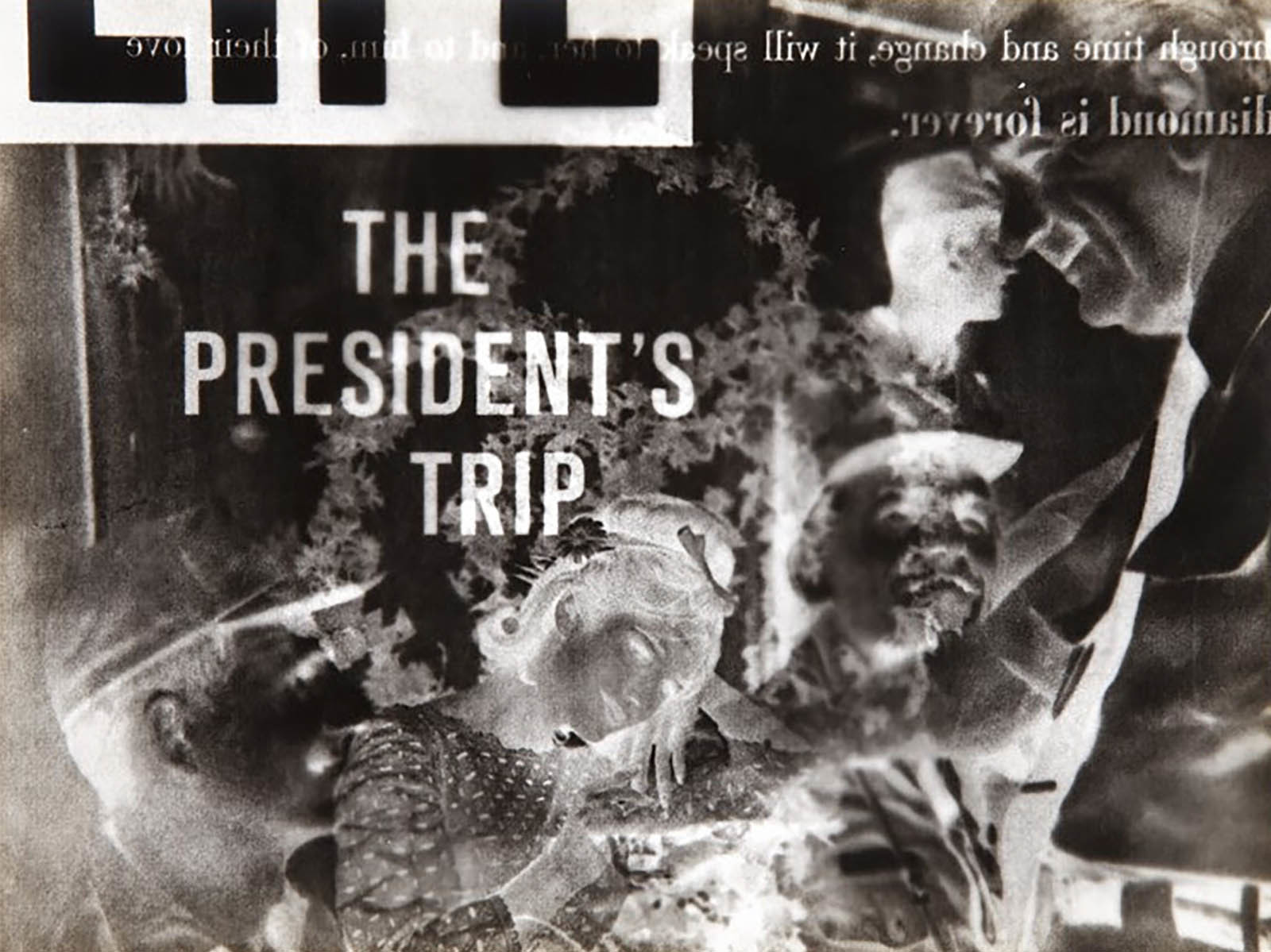
SAN FRANCISCO, Calif. – June 13, 2023 – Symington Family Estates, producers of some of the finest Ports in the world for five generations and owner of the renown Port house Dow’s, announces the launch of its second Dow’s Black and White Photography Competition in partnership with Leica. Inspired by the centuries-old winemaking process and patience that goes into making every bottle of Dow’s, the theme for this year’s competition is “A Moment in Time.” The competition opens live today and ends on the 15th of September; winners will be announced on September 29th. 

Dow’s invites all levels of photographers to share their work inspired by “A Moment in Time”, showcasing “emotions, places, people in a single frame.” To take part, each participant is required to follow @dows_port and @leica_camera_portugal and post the photos on Instagram tagging @dows_port and #dowsblackandwhite. 

Winners will receive the following prizes (alcohol prizes do not apply to those in the US):

  • Winner: $2,000 Leica voucher and a bottle of Dow’s 1983 Vintage Port
  • Second place: A bottle of Dow’s 1994 Vintage Port and a copy of the Leica book entitled Ninety-nine Years
  • Third and Fourth place: copies of Ninety-nine years and Leica Years by Alfredo Cunha

For additional details and how to enter, please view this link.

About Dow’s

One of the first producers to establish its own vineyards, Dow’s has been producing some of the finest Ports since 1798 and is today family owned and operated by the Symington family, whose involvement with Dow’s dates back to 1912. Dow’s is renowned for its portfolio of Ports: Late Bottled Vintage, Trademark Reserve, Aged Tawny Ports, as well as its famed Vintage Ports. Since 2004, Dow’s has also produced a Douro DOC table wine, Vale do Bomfim.

About Symington Family Estates

The Symingtons of Scottish, English and Portuguese descent have been Port producers in northern Portugal since 1882. For five generations they have combined their passion for producing fine wines and Ports with a deep commitment to the region’s land and people. Today, ten Symingtons work across their four Port houses: Graham’s, Cockburn’s, Dow’s and Warre’s, as well as their Douro wine brands – Quinta do Vesúvio, Quinta do Ataíde, Altano and Prats & Symington (of Chryseia fame). In 2017 they launched a new venture, Quinta da Fonte Souto, in the Alto Alentejo. Symington Family Estates is a leading premium Port producer and the leading vineyard owners in the Douro valley, with 26 Quintas covering 2,462 hectares and 1,114 ha of vineyard. All their vineyards are sustainably managed under a minimum intervention certification and 130 ha are organically farmed, the largest area of organic vineyard in northern Portugal. The family has invested significantly in viticulture R&D to adapt to climate change and have an ambitious sustainability plan, with a series of goals under the banner of Mission 2025. In 2019 the company became a certified B Corporation – the first wine company in Portugal to take this step – joining a global community of businesses audited for the highest standards of social and environmental responsibility, committed to using business as a force for good. www.symington.com

Advertisement

Heritage Festival returns to Flagstaff’s Museum of Northern Arizona June 24-25

Heritage Festival returns to Flagstaff’s Museum of Northern Arizona June 24-25

FLAGSTAFF, Ariz. — Artists from Native Nations across the Colorado Plateau will be in Flagstaff June 24-25 for the Museum of Arizona’s Heritage Festival, offering an unparalleled opportunity to learn about the diverse Indigenous cultures in the region.

The festival first began in 1930 with a focus on the Hopi people, but this year will also include the Acoma, Apache, Diné, Havasupai, Hualapai, Pai, Ute, Yavapai and Zuni. Darvin Descheny, public programs manager for MNA, said the inclusion of all the tribes of the Colorado Plateau give the public a chance to learn about more tribes from the region.

The 2023 market will be located on the beautiful, forested grounds surrounding the museum, with the sacred San Francisco Peaks as backdrop. With an expanded artist market and mainstage performances under tents outdoors, there will be plenty of space and fresh air.

“We are counting down the days to one of the biggest events of the year — the Heritage Festival of Art and Culture,” said Mary Kershaw, executive director and CEO of the Museum of Northern Arizona. “This year the festival will be on June 24 and 25. We moved the date in response to artists and attendees who overwhelmingly agreed that moving away from the busy 4th of July weekend would be better for everyone.”

Based on responses from past festival attendees, this year’s market will be returning to the outdoors, allowing more space to view art and talk with artists. Holding the market outdoors is also safer and allows the museum exhibits to be enjoyed without them being blocked by artists’ booths, the museum said.

More than an art market, the festival is really a celebration put on by the museum offering a glimpse into all that it does to uplift and inform the public about the Native Nations in the region through art, music, lectures, demonstrations and performances. It will take place outdoors through all the parking lots on the museum’s campus.

“I am so excited that this festival brings together Indigenous artists from across the Colorado Plateau, the only such festival that I know of,” Kershaw said. “These artists will all share and celebrate their cultures from under the shade of tents among the tall pines surrounding the museum. In addition to over 100 artists from 10 different tribes, highlights include flute workshops with Aaron White, a presentation by fashion designer Patricia Michaels, as well as performances by the Zuni Water Striders, Dilzehe’e, Apache Singers, and Yoyhoyam Hopi Youth Dancers.”

A juried competition will give out awards in 24 categories. While most of the categories will be open to all Heritage Festival artists, some are set aside specifically to recognize excellence in arts specific to the Hopi, Diné, Zuni and Pai.

The timeframe to enter art into the competition be from 9 a.m. – noon June 23, allowing more time than in past years for those who are traveling to enter their art.

Things to know:

Artists, other vendors, staff and volunteers can park at Flagstaff Arts Academy or Coconino Center for the Arts. This will allow the parking lots on both sides of Fort Valley Road to be available for visitors. A shuttle will be available to take artists/vendors, staff and volunteers to and from their vehicles.

Visitors will be able to park in all of the parking available on the east side of Fort Valley Road and in most of the parking lot on the museum side.

MNA is on the Flagstaff Urban Trail System, so it’s convenient to bike to the festival. There are two locations for free, secure bike parking on the museum’s campus. The Mountain Line Route 5 stops directly in front of the museum. A drop-off and pickup area makes it easy for people to take an Uber, Lyft or taxi.

Every purchase at the Heritage Festival benefits the artists, who take home 100 percent of their earnings. To help support MNA’s ability to continue to host the festival, donations and festival sponsorship are great options. Anyone interested in sponsorships can email development@musnaz.org

MNA is seeking volunteers for the event. Festival volunteers bring the artists water, give artists breaks, setup and restock refreshments, help with parking, assist visitors with festival information and much more. To volunteer contact msoliday@musnaz.org.

Admission costs have been reduced from 2022 for members and non-members and can be found at the MNA website.

Festival hours are 9 a.m. to 4 p.m.

More information is available at https://musnaz.org/all-upcoming-events/heritagefestival/.

Monumental Classical Figures and Graffiti Converge in New Murals by PichiAvo

Monumental Classical Figures and Graffiti Converge in New Murals by PichiAvo

“Venus del Mitreo” (2023), part of a project with Museo de Muralismo Contemporáneo de Mérida, Mérida, Spain. All images © PichiAvo, shared with permission

PichiAvo (previously) continue to scale multistory buildings from Ontario to Tahiti, recently painting a series of vibrant new murals. Known for combining figures from Greek mythology with spraypainted tags synonymous with graffiti, the Valencia-based duo often work in vibrant jewel tones, especially warm pinks and violets shadowed by cool blues. Rendered in a style evocative of ancient marble statues, classically idealized portrayals of deities like Mercury and Venus are intertwined with contemporary street art. For a recent project back in the pair’s hometown, the god of wine, Bacchus, hoists a bunch of grapes on a wall of the aptly named Mythic Hotel.

During extensive travels, PichiAvo have found ways to adapt what they call “urbanmythology,” especially as it relates to specific locations. A diptych on two buildings in Paea, Tahiti, taps into a Tahitian legend about the prince of neighboring Paparā and the prince of Paea’s son fighting for control of the land in a javelin duel, thus determining the borders between the two communities. And taking the theme of the wall indoors, an ongoing body of work they call Diaspasis turns raw plasterboard into a canvas, emphasizing crumbled edges as if it has been chiseled and removed from architecture.

If you’re in Montréal, you can stop by PichiAvo’s new solo exhibition titled Three Graces at S16 Gallery, which runs June 15 through July 9. Find more on the artists’ website, and follow updates on Instagram.


A mural of Mercury and Psyche with graffiti around them on the side of a building.

“Mercury and Psyche” (2022) in Toronto, Ontario, Canada

Artist duo PichiAvo on scaffolding, working on a mural of Mercury and Venus in Toronto.

“Mercury and Psyche” in progress

A mural of Bacchus holding grapes above his head, with graffiti around him on the side of a building.

“Bacchus” (2022) at the Mythic Hotel in Valencia, Spain

Two murals on the side of apartment buildings in Tahiti showing a hand holding a javelin and a classical figure surrounded by graffiti.

Javelin murals (2023). part of ONO’U, Paea, Tahiti, French Polynesia

A mural of a classical figure, photographed with two young girls walking down a stairway in the foreground.

Detail of a mural in Tahiti

A painting of a classical figure's eyes and nose on plasterboard that is rough around the edges like it has been carved out of a wall.

Photo by Bruno Lopes, courtesy of Underdogs Gallery, Lisbon

A painting of a classical figure on plasterboard that is rough around the edges like it has been carved out of a wall.

Photo by Bruno Lopes, courtesy of Underdogs Gallery, Lisbon

Do stories and artists like this matter to you? Become a Colossal Member today and support independent arts publishing for as little as $5 per month. The article Monumental Classical Figures and Graffiti Converge in New Murals by PichiAvo appeared first on Colossal.

What is White Balance in Photography?

What is White Balance in Photography?

Although many photographers approach it in different ways, understanding white balance is a key to getting better at photography. Like other camera settings, it’s possible to have your camera set white balance automatically, but it doesn’t always produce the best results.

By learning what white balance is and how it affects your images, you will be able to consistently produce well-balanced images and correct images that are unbalanced.

Table of Contents

What is White Balance?

In simple terms, white balance is your camera’s way of adjusting colors so that the whites in an image actually appear white. For example, if you’re shooting without proper white balance in a setting with lights that appear very yellow, any whites in your image will look yellow or tan. The entire image will have a color cast on it, and it won’t look natural. White balance counteracts color casts and produces natural-looking images.

Our eyes and brain work together to adjust to different lighting, which is why we usually see whites as white regardless of the conditions. If you wear sunglasses, you’ll probably see everything with a color cast right after you put them on. After a few minutes, the colors will look normal again. This is one example of how our eyes and brains work to adjust to different lighting conditions. Similarly, your camera may try to adjust to different lighting, and it will succeed to various degrees.

White balance is dependent on something called color temperature, which is measured in degrees Kelvin (K). Color temperature is essentially how warm or cool a light source is, and it ranges from 1,000 K to 10,000 K. The lower end of the spectrum, closer to 1,000 K, corresponds to warmer light sources (more yellow or orange), while the higher end of the spectrum corresponds to cooler light sources (more blue).

Approximation of the hues of kelvin temperature, rendered with a white point near 6500 K. Illustration by Bhutajata and licensed under CC BY-SA 4.0.

For example, a candle’s flame is usually warmer than light outside at midday. The next time you shop for light bulbs, pay attention to the different color temperatures that are written on the bulb packages. Many people are very picky about the color temperature of their lights throughout their homes.

In more technical terms, white balance is your camera’s process of adding a certain color to a scene in order to make the image neutral (and make the whites appear white). For example, if you’re shooting outside in the shade where the light has a fairly cool temperature (something like 7000-8000K, for example), your camera will compensate and add warmth back into the image if you set your white balance accordingly. Something as simple as going from sunlight to clouds can change the color temperature of the light by a lot, so it’s important to pay attention to consistency in white balance throughout any shoot.

A portrait shot as the sun began to set.
Same shoot 1 hour apart with different white balance.

White Balance Presets

On most DSLR and mirrorless cameras, there are many different white balance presets, as well as auto and custom options. In your camera’s menu or home screen, you should see options to change your white balance. If you’re having a hard time finding out how to change your camera’s white balance, read your manual or search the internet for tips.

White balance presets are useful if you know that the light you’ll be shooting in won’t change very much throughout your shoot. Here are a few common examples.

A sun icon will usually denote a daylight preset, which accounts for a color temperature of around 6200 K. Daylight is usually in the high 5000 K or low 6000 K range. Obviously, not all daylight is guaranteed to be the same, especially with varying air quality and locations. Presets are best used with some caution because not all light is created equal.

A building with lines next to it denotes a shady white balance preset, which is cooler than daylight (around 7000-8000K). If you were to switch to this preset in the shade, your images won’t be too blue from the change in color temperature.

Instead, the camera will compensate for the change in color temperature and your image will be balanced.

A cloud icon is similar to shade and is useful when it’s cloudy outside. This is usually a little warmer than full shade, around 6000-7000K.

A light bulb icon is useful in scenarios with light coming from a light bulb, also called tungsten light. This light tends to be very warm, around 3200K.

A larger, more horizontal light bulb denotes fluorescent lights, which are cooler than tungsten light, around 4000K.

When you’re using flash, your camera emits light around 5000 K to 6000 K.

Automatic White Balance

Auto white balance, usually depicted by an icon that says “AWB,” allows the camera to decide what it thinks the white balance should be. Essentially, your camera will evaluate the incoming light and reference it with a neutral, which is usually similar to daylight. If the incoming light is warmer or cooler than the neutral, the camera will determine what needs to be done to bring it back to neutral. This isn’t always perfect, especially because scenes can have multiple color temperatures at once, and lighting conditions can change rapidly.

The goal of a camera’s auto white balance feature is to make reference white points appear white.

Certain scenes, such a snowy landscape, can also make it challenging for a camera to determine the correct white balance. This can be due to things like color temperature confusion (e.g. the sunlight reflected off snow causes the resulting photo to have an unwanted tint), a lack of neutral elements to serve as a reference point, dynamic range challenges (e.g. different parts of the scene reflect different amounts of light, causing the white balance to be skewed), and reflective color casts (e.g. snow reflecting the colors of the surrounding environment).

A snowy landscape can pose white balancing challenges for cameras.
A mix of cool and warm.
A cool background and warm foreground.

Custom White Balance

This is useful when you know you need your white balance to be accurate, and/or if you’d prefer to post-process as little as possible. This is a mode on many cameras that allows you to set the white balance by holding a physical card or set of cards in front of the camera. From here, the camera will measure the actual color temperature of the light and set the white balance accordingly.

Using a gray card can help you more easily and accurately set the white balance of a scene. Photo by Ansgar Koreng / CC BY 4.0.

White balance cards are also called gray cards and can be found at many camera stores. They vary in price and application. Many studio photographers use custom white balance because once they set their white balance for their studio and light setup, chances are good they won’t have to change it much as long as they continue to use the same gear.

Especially if you’re shooting using a white backdrop, it’s important to have balanced whites.

Color Temperature Mode

Finally, many cameras have a white balance setting that allows you to input a custom color temperature. This gives you some creative direction if you’d prefer your shots to be on the cooler or warmer side for whatever reason. You can also change white balance precisely on the fly if you know your color temperatures well.

The same photo shot at custom color temperatures ranging from 2500 K to 10000 K. Photo by mark6mauno / CC BY-SA 2.0.

Auto White Balance, Fix Later If Necessary

Especially these days, many photographers choose not to worry about white balance while they shoot. Instead, they turn on auto white balance (AWB) and correct their images using tools such as Adobe Lightroom. Most post-processing tools have built-in white balance adjustment tools, and if auto white balance doesn’t do the best job in-camera, it can be corrected. The best way to do this is by shooting RAW rather than in a compressed format because much more information will be retained.

Note that when shooting in raw format, the white balance setting selected in-camera doesn’t affect the actual raw data, which will be identical regardless of which setting is used. Instead, the selected white balance will serve as a reference for the software you use to process the raw files. This means you can change the white balance after capturing the image without any loss of image quality.

Some post-processing tools such as Adobe Lightroom have their own “auto white balance” tools.

Lightroom’s White Balance Selector. After selecting the eyedropper, click on a portion of the photo that should be neutral.
Too cool.
Too warm.
Neutral.

Essentially, you can use a dropper to set a target neutral, which is whatever color you want to appear as white. The accuracy of this tool isn’t always perfect, but it can let you very selectively determine what parts of your image you’d like to actually appear white.

Too cool.
Too warm.
Balanced.

Tint

In addition to color temperature, which adjusts yellows and blues, you’ll see something called “tint” if you adjust white balance using a post-processing tool. Tint adjusts the appearance of green and magenta in your image and contributes to white balance.

Too magenta.
Too green.

These adjustments are somewhat second to color temperature, especially because your camera will emphasize color temperature in its white balance menus. However, in post-processing especially, it’s important to know that you can make your image more green or more magenta, similar to how you can change the color temperature.

Tinted magenta.
Tinted green.

Creativity and White Balance

Many photographers consider white balance to be part of their style. Maybe they always shoot on the warmer side, cooler side, or some other creative way. White balance is really just a way of changing the colors in your image, and sometimes that’s a great way to develop a consistent style.

If anything, many photographers intentionally keep their portraits on the warmer side, especially when they’re trying to achieve the “golden hour” look. Some street photographers and landscape photographers keep their images on the cooler side, and some people prefer everything to be free of color casts.

A warmer portrait.

It’s up to you as a photographer to decide if you’d like to use white balance to be creative or not. Above all, it’s important to know how to use white balance so that you can properly decide whether you’d like to be creative with it or not. There’s a big difference between intentional, creative use of white balance and not knowing how to manage white balance on your camera.

Conclusion

It’s easy to look at an image and notice if there are white balance issues. Images will be astoundingly yellow or blue when the photographer really didn’t intend for that to happen. By learning about white balance and its components, you have the ability to fix white balance issues in-camera or using post-processing tools. Once you master that, many photographers turn to white balance as a way to add to their style.

Derek Culley obituary

Derek Culley obituary

My father, Derek Culley, who has died aged 70, was an abstract artist who was mainly self taught and intuitive in his approach to painting.

His art used the language of abstract expressionism, with echoes of Jackson Pollock and Willem De Kooning and nods to his Celtic and Catholic Irish roots. His 2007 work Golgotha, for example, was inspired by the stations of the cross. His 2016 digital canvas Four Tribes is a homage to Ireland. For many years he subsidised his income by working in computing, but he decided to become a full-time painter after moving to Merseyside in 2004. In 2007, he received a $25,000 Pollock-Krasner Foundation grant, which enabled him to focus on creating art in his studio.

Golgotha, by Derek Culley: a 30ft x 60in (90.1m x 1.5m) single piece of canvas, painted in 2007 and displayed here at the Rua Red arts centre in Dublin in 2011.

Derek was born in Dublin to Jack, a horologist, and Doreen, a housewife; he went to St Mary’s primary school in Tallght and then to Pearse College in Crumlin. He left the National College of Art and Design in Dublin after only three weeks, finding that the path of traditional education did not suit his personality, but from the age of 16 he worked in a studio in a garage on the lane behind the family home in Walkinstown, which he rented from the mother of the Irish poet Thomas Kinsella.

Derek met Eilish Doherty, a banker, in O’Donoghues bar in Dublin in 1972, and they married in 1976 in Ealing, west London. In the late 1970s they set up home in Windsor and went on to have five children.

In the 1980s he curated exhibitions for the Windsor Community Art Centre, including one in 1987 by Damien Hirst and Holden Rowan. He was a founding member and chairman of Celtic Vision, a group that celebrated artists from the seven Celtic regions of Europe.

Derek Culley at work on a painting during an exhibition in London

In 1994 he fulfilled an early ambition by completing a master’s in European and business marketing at Brunel University in London. Having been offered a place at Trinity College Dublin in his younger years, which his parents could not afford to support, he saw this as a way to prove to himself that he could still achieve his goals.

Derek used art as a way to step back from the struggles of life and express himself. By platforming emerging artists in his exhibitions and articles – including many he wrote for Art & Museum Magazine between 2017 and 2023 – he helped others to flourish in the art world, too.

He is survived by Eilish, by his children, Adam, Russell, Duncan, Austin and me, by two grandchildren, and his sister, Adele.

Clients don’t buy photography

Clients don’t buy photography

Tamron – Need lightweight, compact mirrorless lenses? Tamron has you covered, with superior optics perfect for any situation. With weather sealing and advanced image stabilization, you’ll open up your creative possibilities.

Radiant Photo – Radiant Photo superior quality finished photos with perfect color rendition, delivered in record time. Your photos — simply RADIANT. The way they are meant to be.

AfterShoot – AfterShoot helps photographers cull their photos faster, leaving them more time to spend on creative tasks. Save $10 with the code PHOTOFOCUS10.

Mylio Photos – Access your photos from anywhere, without the cloud! Easily showcase your photos on-the-go, resolve duplicates, find faces and look for those stunning locations.

Skylum – Your photos, more beautiful in minutes. Skylum adapts to your style and skill level. Check out Luminar Neo’s unique sky replacement and portrait editing tools, now available.

B&H – B&H is a world renowned supplier of all the gear photographers, videographers, and cinematographers need and want to create their very best work.

MPB – Grab used but perfectly working cameras and lenses for less, or turn your old gear into cash by trading and selling them on MPB!