Photography

Gritty Russian Photographer Dmitry Markov Dies Age 42

Gritty Russian Photographer Dmitry Markov Dies Age 42
Photographer Dmitry Markov
Dmitry Markov, left. His viral photo of a police officer sitting beneath a portrait of Putin, right.

Dmitry Markov, a Russian photographer who shot exclusively on smartphones and was known for capturing provincial areas around Moscow, has died at age 42.

Markov rose to fame because of his exquisite photos that depicted everyday life which he posted to his Instagram page that has almost one million followers.

Dmitry Markov photography

Dmitry Markov photography

In 2021, his photo of a police officer sitting beneath a portrait of President Putin went viral and he later sold it for two million roubles ($22,000).

In 2016, Markov participated in Apple’s “Shot on iPhone” campaign for the iPhone 7. He was the first Russian participant and one of 15 photographers from 15 countries.

An Unlikely Photography Star

Markov was born in Pushkino, a tough industrial town north of Moscow where he spent his days sniffing glue with his friends while avoiding their alcoholic fathers. He battled drug addiction most of his life.

However through photography and blogging, Markov gradually gained attention and was awarded grants and commissions. As his fame grew and companies began hiring him, he kept his life grounded and kept his focus on documenting Russia’s gritty streets.

He moved to Pskov, a border city close to Estonia, and began working for a charity organization. It was there his camera was stolen and he switched to an iPhone for his photography.

“Quality? Screw it, I’d sketch things with a pencil if I could draw,” he wrote in a blog post.

Markov documented street protests and the famous photo of the policeman sitting beneath Putin’s picture came about after he was arrested while attending a rally in support of opposition leader Alexei Navalny — who died on Friday while incarcerated in a federal penitentiary inside the Arctic Circle.

Inspiration

Markov’s photos borrow the color palette of old Russian paintings but his subjects were very different.

In an interview with RFE/RL’s Siberia Desk, Markov explained the choice of heroes for his photographs with a story that reads like something straight out of Chekhov:

My grandmother died recently, she worked as a seamstress in a factory. Under the bed she was lying in the weeks before her death, she kept a sack of potatoes — she sewed these same sacks every day for decades. My grandma lived like this. You could call this ‘doom,’ too right? I doubt young people dream of working all their lives in a factory and dying on a mattress above a bag of potatoes.

At the same time, when I see these scenes — these [saleswomen on a cigarette break pictured above], or this bag of potatoes, I want to see the meaning and beauty in it. This is people’s life, it passes by like this. And it’s not two or three people, most people live like that. I want to capture them. Look at any magazine rack: stars and celebrities. I want to capture the simple person, to show the beauty of ordinary life.

Photographer Dmitry Markov
Markov photography
Markov’s final Instagram post of an Russian soldier who is intending to return to the front line.

His final Instagram post proved to be controversial: A sympathetic portrait of his solider friend who is planning to return to the front line of Russia’s invasion of Ukraine territory.

“I can’t stop loving people close to me and start hating them,” he wrote. “And I realize that I’m a legitimate target for hatred on the part of Ukrainians. I don’t know how to do the right thing in this situation.”

Local media outlets confirmed the news of his death with reports that his longtime girlfriend found him at their home. The cause of his death remains unknown.


Image credits: Photographs by Dmitry Markov

iPhone Photography Basics: Edit iPhone photos the right way

iPhone Photography Basics: Edit iPhone photos the right way

Image editing is a topic that’s as large in scale as photography itself, but how to edit iPhone photos the right way doesn’t have to be at all daunting. While dedicated editing apps such as Pixelmator Pro are likely where you’ll end up once you grow in confidence, the humble Photos app has everything you need to get started.

But rather than simply tapping Edit and hitting the Auto icon, I’m going to break down the Photos app’s image editor so you can navigate your way through its menus and tools and apply your own manual edits like a pro. Editing is your chance to really stamp your mark on your photos. And as you advance your skills, you’ll begin to develop your own style. Here’s how to get started…

Share your results with iMore on X (Twitter) using #iMorePhotographyWeek

Mike Harris, iMore contributor

Mike Harris

I’m Deputy Editor of N-Photo: The Nikon Magazine, but moonlight as iMore’s go-to photography know-it-all. I’ve worked in the photo industry for over six years and have been an avid iPhone photographer since the iPhone 4. I’m a firm believer that iPhone photography is a great starting point for burgeoning photographers, which is why I’ve created a series of iPhone photography basics tutorials, so you can either firm up your existing iPhone Camera skills or embark on a whole new passion.

Consider a light touch

iPhone editing photos

(Image credit: Future / Apple)

The best iPhones are brimming with AI-powered computational photography tech that allows your iPhone to perform an incredible number of processes in a split second, such as sharpening, noise reduction, color edits, and increased dynamic range to create a more balanced exposure. There’s an argument that it does too much, but there’s no denying how impressive it is. However, this does mean that editing iPhone images requires a much lighter touch than normal. 

It’s tempting to set about lifting shadows, reducing highlights, and adding generous dollops of saturation, but if you’re not careful, your images will look fabricated. Take a moment to examine each image, fresh from the camera, to really consider every edit you make. Shooting in Apple ProRAW will reduce the level of computational photography applied, but it’s still there. A good tip is to keep revisiting the original image. This will help make your changes more obvious, so you’re more likely to tell if it needs toning down.

  1. In the Photos app’s editing suite, apply your chosen edits
  2. Tap the image to revert back to the original photo so you can quickly gauge the impact of your edits

How to make a duplicate image

iPhone editing tips

(Image credit: Future / Apple)

Once you’ve edited an image in the Photos app’s editing suite and tapped Done, you can recover your original image by entering the editing suite once again and tapping Revert. However, to be absolutely certain I don’t lose my original image, in case I want to edit it again in the future, I like to make a duplicate. 

View your chosen image in the Photos app and select the three-dot icon in the top-right corner of the screen then tap Duplicate. You’ll find the duplicate at the very bottom of your Recents Album or next to the duplicated image in any other Album. While you’re in the middle of an edit, it can be useful to see the original image to ensure you haven’t gone overboard with your edits (see the previous step).

  1. Open the Photos app and find your desired image
  2. Tap the three-dotted icon in the top-right corner of the screen
  3. Select Duplicate to create a duplicate at the bottom of your Album

How to crop

iPhone editing tips

(Image credit: Future / Apple)

It’s good practice to crop your image before performing any other edits, so you are working with the final image. This is imperative when applying processes like noise reduction or sharpening because the size of the image may affect how much or how little you choose to apply. Cropping reduces an image’s size and quality. Ideally, you want to get the composition as perfect as possible in-camera, using the cropping tool sparingly to tidy up the composition or straighten the horizon. 

Of course, you may wish to crop an image for a specific platform, such as 16:9 or 1:1 for Instagram. If you make a mistake when cropping, you can tap the yellow Reset button that appears immediately after you’ve cropped an image. You can also use the Straighten, Vertical, and Horizontal tools when cropping to straighten the horizon or line up verticals, like interior walls.

  1. Open your chosen image in the Photos app’s editing suite and select the crop tab
  2. Tap the Straighten, Vertical or Horizontal icons to rotate the image or change the perspective of the verticals and horizontals, respectively
  3. Select the icon to the left of the marker icon and choose from a variety of cropping presets near the bottom of the screen
  4. Hit Reset to revert to the original crop

Fix your exposure

iPhone editing tips

(Image credit: Future / Apple)

Next you’ll want to adjust the overall exposure of your image. Your iPhone’s computational photography has probably already done most of the legwork here, but if parts of the image are looking a little too dark or bright, you can boost the Shadows and reduce the Highlights sliders to bring back some of the detail. Always remember, you can bring back more detail when lifting shadows than reducing highlights. 

If the entire frame is too dark or too light, you can adjust the Exposure slider to make the entire image lighter or darker. This is a particularly powerful tool, so use it sparingly. Brightness works very similarly to Exposure, but the effect isn’t as intense. While it affects the shadows and mid-tones rather comparatively, it doesn’t affect the highlights quite as much. 

Brilliance is an interesting tool that’s used to brighten or darken an image without affecting the highlights. Slide it to the right to brighten the frame with less chance of clipping (losing detail when the whites get too bright or the shadows get too dark) and slide it to the left to darken the shadows but retain the brightest highlights.

  1. In the Photos app’s editing suite, ensure you have the Adjust icon selected 
  2. Scroll through and tap on one of the various adjustment icons to bring up the corresponding slider
  3. Move the slider left or right and watch as it affects the image

How to add contrast

How to add contrast on iPhone

(Image credit: Future / Apple)

Contrast regards the difference between light and dark portions of the image. A high-contrast image will have darker blacks and brighter whites, while a low-contrast image will display softer gray-toned blacks and whites. There’s nothing wrong with either but extremes at either end rarely look good. Too much contrast can leave an image appearing fabricated and overly intense, and too little contrast can leave it looking dull and flat. 

The Contrast slider can be used to increase or decrease the contrast of the entire image, so the blacks get darker and the whites get brighter. Black Point is useful if you just want to increase or decrease the intensity of the blacks. Another slider you can use to alter the contrast of your image is Definition. This adds contrast to the midtones and contours edges within the image. The bold lines formed via the latter creates a kind of sharpening effect that’s very easy to overdo, so use it sparingly.

  1. Scroll through the Photos app’s Adjust tab in the editing suite
  2. Use Contrast to increase/decrease contrast across the whole image
  3. Use Black Point to increase/decrease the intensity of the blacks
  4. Definition will add contrast to the mid tones and definition to edges

How to edit color

How to edit color on iPhone

(Image credit: Future / Apple)

You have four color tools at your disposal: Warmth, Tint, Vibrance and Saturation. Warmth changes the color temperature of your image. Drag the slider to the right and the warm colors (such as reds and yellows) will intensify, drag the slider to the left and the cool colors (such as blues and cooler greens) will intensify. Boosting Warmth is a great way to intensify the effects of golden hour or a fiery sunset, while decreasing the warmth may add mood to a stormy seascape or winter portrait. 

Tint is used to correct for any green or magenta color casts. If you spot a subtle green hue on a portrait subject’s skin for example, moving the slider right will add magenta to combat the green cast. If you’re not careful, though, you can end up going too far the other way, so if you’re unsure or simply can’t see anything wrong with the image, this is best left alone.

Saturation increases or decreases the intensity of all colors and when decreased to -100 will leave the image black and white. Vibrance works similarly to Saturation, with an emphasis on the less dominant colors within an image. This can be used to help balance the saturation of an image, with less chance of colors clipping.

  1. Use Warmth to adjust the color temperature of an image
  2. Drag it left to make it cooler and right to make it warmer
  3. Use Tint to remove color casts
  4. Move it left to add green and right to add magenta
  5. Use Vibrance to boost or reduce less-dominant colors
  6. Use Saturation to boost or reduce all colors

How to finish off an edit

Finish an edit iPhone

(Image credit: Future / Apple)

The only tools I haven’t talked about are Sharpness, Noise Reduction and Vignette. A professional photographer would typically sharpen an image right before it’s exported. But iPhone’s computational photography already sharpens images, arguably, too much and if you’re only going to be posting your images on Instagram or looking at them via your iPhone’s display, there’s really no need to sharpen them. Noise Reduction removes noise, tiny colorful specks that hamper image quality and become increasingly prominent the more a camera’s sensor is required to compensate in low-light conditions. 

This is something I’d recommend performing near the beginning of an edit, but again, your iPhone already applies a decent dose of noise reduction by default. If you do ever need to use it, the further you push the slider the more the noise will decrease, but the softer the image will become, so it’s a bit of a balancing act. And finally, Vignette allows you to darken the edges of your image. It can be used a little like a frame-within-a-frame to draw the viewer’s attention towards your subject or a stylistic choice to replicate the less advanced optics of older lenses that were more susceptible to noticeable vignetting than modern ones

  1. Use Sharpness very sparingly, if at all, to sharpen an image prior to exporting
  2. Noise Reduction should be used sparingly too, it reduces noise but soften images in the process
  3. Add a dark vignette by pushing the slider to the right and a light vignette by sliding it to the left
  4. Use Vignette to draw attention to subjects in the center of the frame

How can I improve my editing further?

If you have an iPhone that can capture Apple ProRAW files, then you’ll find images are much more pliable. This is because a RAW file is designed to capture as much image data as possible. Our tips to improve your iPhone photography instantly guide explains this in more detail. But beyond the hardware that you’re using, you’ll find there’s a plethora of dedicated editing apps available on the App Store, such as , , and , that boast additional editing capabilities so you can take your photo editing skills to the next level. However, the bulk of editing is done using the tonal adjustment tools available in the Photos app. So make sure you understand how to use it thoroughly before progressing.

Share your photos with iMore on X (Twitter) using #iMorePhotographyWeek

Motaz Azaiza: ‘The Worst Things I’ve Seen, I Don’t Photograph’

Motaz Azaiza: ‘The Worst Things I’ve Seen, I Don’t Photograph’

For 108 days from 7 October 2023, Gazan photographer Motaz Azaiza captured the horrors of the Israel-Palestine conflict on camera. Buildings destroyed, bodies buried in rubble, children crying and injured from airstrikes, his Instagram feed served the heart-wrenching reality of war to his 18.6 million followers. Then, last month, he made the difficult decision to evacuate to Qatar, explaining online, ‘I spent my whole power on showing the truth and [the war] didn’t stop.’

Days prior to his evacuation, Grazia spoke to Motaz about life in Gaza, where the death toll currently sits at 27,700, according to the most recent Red Cross estimates as Grazia went to press. They also say that more than 1.9 million people have been displaced since Israel took retaliatory action after Palestinian militant group Hamas launched a terror attack on Israel killing 1,200 people and taking a further 240 hostages. At present, 134 hostages remain in Hamas captivity, with The New York Times reporting that at least a fifth of those are presumed dead.

Two hostages, Fernando Simon Marman, 60, and Louis Har, 70, were reunited with their families after being rescued by special forces in a raid in Gaza’s Rafah region on 11 February. But Foreign Secretary David Cameron warned Israel to ‘think very seriously before it takes any further action’ in Rafah, instead calling for ‘an immediate pause in fighting’.

As the conflict rages on, Motaz describes the increasing despair. ‘Every day, I wake up very desperate, feeling hopeless,’ he explains over WhatsApp video call, the first time he had been able to get internet in weeks. ‘I try and find fresh food each day, because there’s no electricity so we can’t store it. I have to find diesel for the car, it’s so difficult to get and expensive – one litre is about $8. There is no internet connection [most of the time], you can’t make phone calls, so there is nothing to even distract you from your anger or pain.

Motaz Azaiza

Motaz Azaiza photographs two women holding babies in the ruins of Gaza ©Motaz Azaiza

‘I have more than 20 people in my house, people who evacuated Gaza City after the Israeli army entered, so there’s no privacy, there’s not enough food for everyone and we can’t shower. Everything makes you feel as though you want to kill yourself.’

The bombing has been so relentless, death so commonplace, that Motaz says people barely react to it anymore. ‘Even if there is a bombing at the end of a street, you will find people there trying to buy food. It’s so hopeless to stay alive, they may feel scared for a moment but then they will continue their day.’

Before the Israel-Palestine conflict escalated in October, Motaz’s photography was primarily joyful; sunset scenes of a beautiful Gaza and smiling portraits of people from different communities. Behind the camera, his life was still hard, he admits, but ‘a heaven compared to this’. As the eldest son in his family, Motaz was expected to provide for his family, dreaming of life as a travel photographer.

‘I was trying to find myself, find work, get paid more so I could travel because I was crazy about travel photography,’ he explains. ‘But your dreams aren’t your right, because as a Palestinian I can’t even enter the UK. You need plenty of money in the bank to apply for a visa to travel, so life was difficult before the war and now, it’s about suffering.’

In order to capture the human cost of this devastating conflict, Motaz spent months risking his life by heading into war zones, rather than running from them. Some of his photographs are so graphic they come with a content warning on Instagram. ‘My mum worries about my life, but she’s accepted it,’ he says. ‘I am cautious, of course, but sometimes I act like a fool and go into areas that may be bombed. I think, “Fuck the camera, I’ll die,” and keep filming.’

Memorable examples of his recent work include two mothers sitting with their babies among the ruins of a building (far left), and one of a little girl holding two red roses as she walks through a village reduced to rubble. But the most haunting scenes, Motaz says, he doesn’t photograph. ‘They are so awful; they just exist in my memory. The most hurtful thing to see is the babies, seeing one with his brain out… He did nothing – the children are innocent.’

I want the reaction to be on the streets, not in likes or comments.

Motaz Azaiza

With the number of his followers still rising, it’s clear that Instagram has given Motaz the power to show the truth of life in Gaza. Indeed, such is his power that one of the photos that first appeared on social media was voted Time Magazine’s photo of 2023. But Motaz is also quick to criticise the way he has exploded online, bemoaning those telling him to ‘be strong’ on social media. ‘I want the reaction to be on the streets, not in likes or comments,’ he says. ‘Go and show what this image made you feel. I appreciate what people do protesting, or sharing and commenting [on my posts], but it hasn’t stopped anything. Even the war now is about social media, it’s so useless.’

Still, since leaving Gaza, Motaz has started a new life in Qatar, and recently celebrated his 25th birthday. ‘I didn’t expect to even make it to 25,’ he confessed on Instagram. ‘One day, I felt as though something was going to happen to me personally. The war discovered Motaz, but it didn’t make Motaz.’

To support those impacted by the Israel- Palestine conflict, donate to the Red Cross Appeal. Follow @britishredcrossfor details.

Shashank Verma spotlights the “intergenerational resilience” of postcolonial India

Shashank Verma spotlights the “intergenerational resilience” of postcolonial India

The series takes its name from the survivance theory developed by the writer and scholar Gerald Vizenor in relation to native communities. A cross between survival and resistance, the theory posits the idea that the passing on of symbols, identities and cultures goes beyond mere survival – “it emphasises the dynamic, creative, and affirmative aspects of native existence,” Shashank says. Shashank’s series applies this theory to Varanasi, exploring intergenerational resilience throughout centuries of colonialism, and subsequent displacement and marginalisation.

Shashank’s two-month trip to Varanasi was split into two parts; through the first he uncovered the intricate details of the landscape, and during the second he delved deeper into the narratives of people, and their close-knit communities. On his travels, one of the ceremonies Shashank captured was mundan, the process by which hair is shaved off and sacrificed before prayer – common among practitioners of Hinduism. “Hair is seen as a matter of pride and arrogance, thus it is believed that shaving off one’s hair is a symbol of gratitude and devotion to the Lord,” says Shashank. In one image the photographer captures the ceremony in process. Lit by a warm sun the image shows heads in various stages of shaving, those doing the shaving deep in concentration. On the scene, Shashak says, “the act of sacrificing hair becomes a communal event, reinforcing a sense of unity and shared devotion among the participants.”

Local author reveals Grand Canyon’s history through repeat photography

Local author reveals Grand Canyon’s history through repeat photography

Tourists have been snapping photos of Grand Canyon National Park for more than a century. A new book pairs historic photographs with brand-new ones to see what’s changed and what hasn’t in that time.

KNAU’s Melissa Sevigny spoke with Flagstaff author Kevin Schindler about how the repeat photography project reveals not just the canyon’s spectacular scenery but its human history, too.

So you had to stroll around Grand Canyon National Park and find these places that were in old historic photographs?

Right, it’s a really tough job.

Hard work!

There’s certainly challenges with it. But how many of us have done that: where was this picture taken? And you try to narrow it down. It was really a fun project, and then I like learning the history about different things, so a lot of the things that I wasn’t too familiar with, like the barns and stuff like that you drive by, but what’s the story behind this?

I was struck by some of the buildings actually how little they had changed. Some of the historic — like El Tovar Hotel, Bright Angel Lodge — really look quite similar today.

There’s some pictures taken from 1905, 1920s, if you made it black and white it could be the same time.

Do you have a favorite historical story that came up for you while doing this research?

One of my favorite things in the Grand Canyon in terms of modern human history—because there’s so much with the rocks, and the Indigenous people who live there, there’s so many different stories—but one of my favorite modern things is the swimming pool that was down at Phantom Ranch. I remember the first time, years ago, that I heard about that and went down and tried to line up where it was. … Thankfully there’s some buildings and rocks in the background that you can line up because otherwise, you walk there and you kind of see a depression but you would never think it was a swimming pool. You’d never think that under that little layer of dirt, there’s a pool table, and maybe a washer and dryer. Because when they filled it in, they just filled it in with stuff that had been hauled all the way down the canyon and wasn’t going to be hauled back up.

A piano, right?  

Yeah. Right. It would be fun to dig it up now and look at those artifacts. It would be really nice to have the pool again.

You’ve gotten to form a personal connection with the Canyon yourself over the years, most recently as the Astronomer in Residence at the Grand Canyon. You got to actually got to live up there for a while.

It was a great experience. The Grand Canyon Conservancy sponsors this program, both Astronomer in Residence and Artist in Residence…The main project I had was documenting and rephotographing where the Apollo astronauts trained up there. The last section of this new book has some of those pictures. There’s a couple I’ve been trying to track down for years. One is a silhouette of Neil Armstrong. You can tell it’s him because of the hat he’s wearing and everything. There’s a real distinct shadow, and a very distinct background, rock features. I never realized exactly where it was. I was hiking down, and I stopped for a second thinking I’ve got to be close, and then right next to me, here’s this big rock.

Was there a photo you wanted to include where you couldn’t find the spot?

There’s one of Buffalo Bill when he visited the canyon. It’s uncertain if the description is actually where he’s at or not. I was able to cheat a little bit, because the chapter introductions are a single photo without a repeat, so I snuck it in there…. But I was pretty happy overall with them…. You know, I really liked the project because… you know, not just gawking at everything—like no matter how many times you go down there you gawk at the scenery—but be gawking for something in particular, and trying to find it and the satisfaction of: that’s it! … It’s kind of a fun exploration of sorts.

Kevin Schindler, thanks so much for speaking with me today.

Thanks for chatting.

Kevin will speak about the book The Grand Canyon: Past & Present at 6 p.m. on Feb. 20 at Bright Side Bookshop in Flagstaff.

Belle Fourche Arts Council’s second annual photography contest draws 67 entries.

Belle Fourche Arts Council’s second annual photography contest draws 67 entries.
image

#inform-video-player-1 .inform-embed { margin-top: 10px; margin-bottom: 20px; }

#inform-video-player-2 .inform-embed { margin-top: 10px; margin-bottom: 20px; }

SPEARFISH — The Belle Fourche Arts Council held their second annual Rural Expressions photography contest during January and February. A culminating reception was held on Feb. 10, with judging, prizes awarded and a buffet of food and drink for those who attended.

There were 67 photos entered in the contest, submitted by 19 contestants. Awards were offered in the categories of people, animal and landscape in both adult and youth divisions. People’s Choice winners in each category were voted on by those who visited the photographs on exhibit at the Tri-State Museum and Visitor Center for a week prior to the reception and at the reception. Winning photos are exhibited at the Tri-State for a week after the reception.

This page requires Javascript.

Javascript is required for you to be able to read premium content. Please enable it in your browser settings.

#inform-video-player-3 .inform-embed { margin-top: 10px; margin-bottom: 20px; }

Photographer Dmitry Markov has died Markov’s work sought to show a Russian identity and patriotism separate from that of the authorities

Photographer Dmitry Markov has died Markov’s work sought to show a Russian identity and patriotism separate from that of the authorities

Photographer Dmitry Markov died in Pskov on February 16. He was 41 years old. Markov was one of the most significant photographers in modern Russia. Not only did he chronicle everyday life in the country’s regions, but he also tried to make it better through volunteer work. Markov’s work was shown around the world, with exhibitions in Paris and New York. He took part in the advertising campaign for the iPhone 7. In fact, his smartphone was his primary camera for many years. Markov also worked as a photojournalist, including for Takie Dela and Meduza. Critic Anton Khitrov explains how the photographer gave himself a worthy artistic task — and how he brought it to fruition.

“You show the truth.” “Cowardly Russia.” “Your photos make my heart ache.” One only has to read the comments on Dmitry Markov’s Instagram to be convinced. The documentary photographer, who captured provincial Russia, had a large — over 800,00 Instagram followers — and grateful audience. People commented on his interview with Yury Dud three years ago with the same appreciation.

[embedded content]

Markov was loved as both a brilliant storyteller and an outstanding person. Having overcome drug addiction, he took up volunteer work and converted his professional success into helping people. Markov began working with community organizations in the mid-2000s. Born in Pushkino near Moscow, he moved to Pskov and worked for Rostok, a charity organization that helps children with disabilities integrate into society.

Since 2012, Markov has participated in street protests, and in 2021, after being detained at a rally in support of Alexey Navalny, he took what was probably his most viral photo: a riot policeman in a balaclava sitting under a portrait of Vladimir Putin. Markov then organized an auction on Facebook to sell the photo. He received two million rubles ($21.6k) from an anonymous buyer and transferred it all to OVD-Info and Apologia Protesta: human rights organizations that help people who are arrested at political demonstrations.

image

Markov continued the tradition of unofficial Soviet photography, in which life in the USSR was shown without regard for ideological objectives. His tutor was Alexander Lapin, a photographer, theorist, and pedagogue, who taught Gennady Bodrov, Igor Mukhin, Emil Gataullin and other stars of the profession, and also wrote two famous textbooks: Photography as… and Plane and Space, or Life as a Square. Markov may also have been influenced by Boris Mikhailov, the famous Soviet-Ukrainian documentary photographer who, among other things, took pictures of homeless people.

If we look further, Markov belongs to the tradition of Maxim Gorky and Vladimir Gilyarovsky, of Ilya Repin and Nikolay Yaroshenko — to the artistic tradition in which art claims to be a truthful reflection of society and seeks to make invisible people visible.

Markov’s main platform was Instagram, and his main tool was his smartphone. In 2013, he took part in a project by American David Alan Harvey called Burn Diary. For one week, Markov ran an Instagram account with the same name. According to the rules of the project, only photos taken on a phone could be published — and only on the day they were taken. Markov adopted the same principles for his own account. In an interview with Afisha Daily, he said that a photographer with professional equipment is less trustworthy than a photographer with a smartphone. It’s hard not to see the decision as a conceptual gesture: smartphones and social networks are tools of demonstrative consumption, but Markov uses them to show a life that’s as far from glossy as possible.

How are Markov’s images organized? First of all, they refer to the viewers’ cultural experience. The color palette is like that of an old Russian painting: for example, the frescoes of Dionisy in the Ferapontov Monastery. The composition often resembles a theatrical mise-en-scène: in the background — plain decoration, in the foreground — “actors” who move along the screen, as if from one stage entrance to the other, appearing and disappearing again. His characters often appear in a frame that resembles the frame of a painting or a stage entrance. Individual scenes call to mind Pieter Bruegel the Elder’s “Hunters in the Snow,” a Renaissance portrait, or Alexander Deyneka’s “Future Pilots.” Thus, Markov defends the place of his subjects in culture: provincial schoolchildren, laborers, commuters, and regulars at the city bathhouse — insisting that any person is worthy of our attention along with the subjects of globally recognized masterpieces.

image
image
image
image

Markov’s focus was often was the contrast between the official and the private, the artificial and the natural, the planned and the accidental. Komsomol teenagers walking near a monument to the first builders. Children relaxing under a statue of Lenin’s head in Ulan-Ude. A cat in a window squinting at a Russian flag. In the composition of the frame, state-approved symbols and living beings always balance each other out: in the world that Markov shows, at least the narratives of power are not omnipotent.

Markov’s creative strategy, which could be called alternative or protest patriotism, was in high demand. It unites the photographer with other cult heroes of Russian art, such as the artist Nikolay Polissky or director Kirill Serebrennikov, who has collaborated with Markov. The essence of this strategy is the search for a Russian identity that is different from the one offered to society by the authorities.

These artists are trying to strengthen the emotional bond between Russians and their country, even though propaganda has done everything possible to destroy it. The Nikola-Lenivets art park founded by Polissky redefines the image of the Russian village: not as a sanctuary of traditional morality, but as a space of play, irony and creativity. Serebrennikov’s Gogol Center, which was closed in 2022, fought for a progressive image of domestic classics, which propaganda treats as another instrument of Russian superiority. Markov spoke about the people hidden behind the “the people” of ideology — and gave the audience a chance to feel solidarity with a vendor at a clothing market, a pensioner from a district center, a rural chauffeur. He had a concrete and convincing answer to the question of why art is needed in Russia today: to rebuild the bridges destroyed by the authorities.

image
image

Markov’s solidarity with his subjects was always natural for him: he grew up in small-town courtyards in Pskov, a town of 190,000, washed in a local bathhouse, and never felt out of place in the environment of his work. Despite his international profile — projects with Apple, solo exhibitions in Moscow, Paris, and New York — he felt at ease with his subjects. For Markov, it was unthinkable not to feel this solidarity.

In the last days of his life, Markov faced criticism on social media: users were upset by his sympathy for a soldier on leave who intended to return to the front. The next day, he revealed that he was helping the conscripts he knew with money. “I can’t stop loving people close to me and start hating them,” he wrote. “And I realize that I’m a legitimate target for hatred on the part of Ukrainians. I don’t know how to do the right thing in this situation.” In 2024, no one has the right answer. One thing is certain: if Markov had lived through the war, he would certainly want to work on national reconciliation.

Sign up for The Beet

Underreported stories. Fresh perspectives. From Budapest to Bishkek.

Anton Khitrov

Translation by Ned Garvey

New Photography Exhibition Showcases Student Work Alongside Established Artists

New Photography Exhibition Showcases Student Work Alongside Established Artists

A Decisive Vision: New Perspectives from Dallas College Faculty and Students opened Feb. 16 at the Adolphus Tower Gallery. The new photography exhibition showcases work from students and staff of the Dallas College School of Creative Arts, Entertainment and Design, as well as some more established special guest photographers.

The opening reception on Friday was bustling with both the featured artists and their friends and family. The walls of the space were lined with works spanning the gamut of genres, from portraits to landscape, abstract to architectural. Live music was provided by Spicy Violin (producer and violinist James Mahler), who serenaded guests with arrangements of pop songs and original compositions.

There was even a man who had no connection to the school or artists wandering around the premises with a camera and microphone and challenging guests to religious debates — the true mark of a noteworthy event. For any newcomers featured in the exhibition, it was quite an auspicious debut.

The photography department at Dallas College is one of a few community college programs in the area to offer a comprehensive, hands-on and accessible arts education. The choice facing many pursuing a creative career has always been between an expensive and time-consuming university degree or braving the self-taught route. Programs like the one offered at Dallas College, which offers affordable classes with flexible schedules, provide a happy medium to aspiring artists.

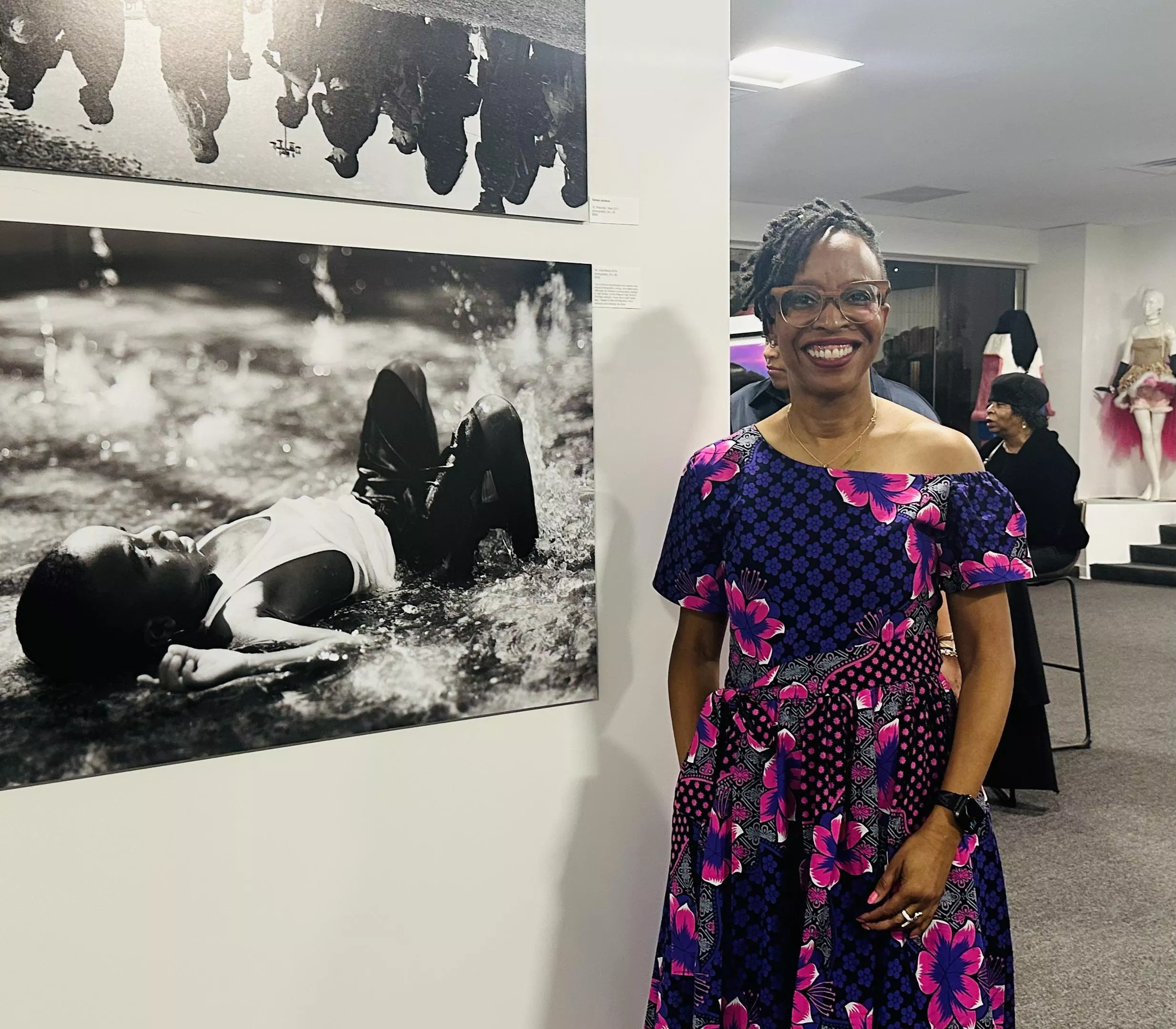
One of the students featured in the exhibition, Teresa Jackson, is a clinical psychologist by trade who is pursuing fine art with an emphasis in photography concurrently. She has two photos in the gallery, and tells us they’re part of an ongoing body of work that aims to dismantle racial stereotypes.

“The pieces are from a larger project featuring Black men and Black boys to basically showcase their humanity,” she says. “I thought that if […] there was some way that I can have a positive impact by creating images of Black men and boys in their natural, organic element, doing whatever they do, and capture who they are no different than other men and boys […] and no less deserving of protection and being celebrated.”

She points to one of her photos in the display, “Unbothered,” a black and white shot of a young boy playing in a children’s fountain at a park.

“He hasn’t learned yet that maybe he’s not safe […] or maybe he’s viewed as a threat,” Jackson says. “He’s just embodying peace and joy.”

One featured guest artist is Durado D. Brooks, Jr., a photographer and filmmaker who contributed striking lightboxes of cityscapes to the exhibition. His work has taken the Dallas native all over the world, but A Decisive Vision marks his first time exhibiting in his hometown.

“I’ve been kind of on a nomadic creative journey since I graduated high school,” Brooks says. “St. Barts to LA to Brooklyn. New Orleans, Barcelona, back to New Orleans and a million places in between.”

Brooks is excited to be back in town and showing his work alongside up-and-coming local talent.

“I’m grateful to share the walls with all of these young, talented artists,” Brooks says. “I’m looking forward to meeting some of the people behind these other artworks.”

One guest artist featured in the exhibition is Ron Shipp, an accomplished local photographer known for his striking pictures of the Dallas skyline. In addition to displaying several mounted works in the gallery, Shipp was selling smaller, unframed prints from a table at the reception while cheerily explaining the creative and technical process behind them.

“So, that’s actually about 40 images overlaid,” he says, showing an image of the Dallas skyline with a web of lightning woven above. “Those are individual lightning bolts. But what you saw over the hours of the storm felt more like this.”

Shipp is a former Dallas College student himself, but not from the photography department. He says he started pursuing photography only around six years ago.

“Always wanted to. Couldn’t afford it,” he says. “Then I could, so I did.”

In a full circle moment, Shipp will be returning to Dallas College this coming week to deliver a seminar to current students.

The Adolphus Tower Gallery opened last year as a collaboration between Dallas College, Downtown Dallas Inc., art advisory firm FGIII Fine Art Production and Adolphus Tower owners Hoque Global. It was conceived of as a space to bring visibility to student and faculty works, and it doesn’t get more visible than a glass-enclosed space in the heart of Downtown Dallas.

The space has housed several exhibitions of work by Dallas College students and established artists. A Decisive Vision is the first show at the gallery dedicated solely to photography.

A Decisive Vision: New Perspectives from Dallas College Faculty and Students is curated by Randall Garrett and Frankie Garcia III. It will be displayed at the Adolphus Tower Gallery, 1412 Main St., through March 29.